
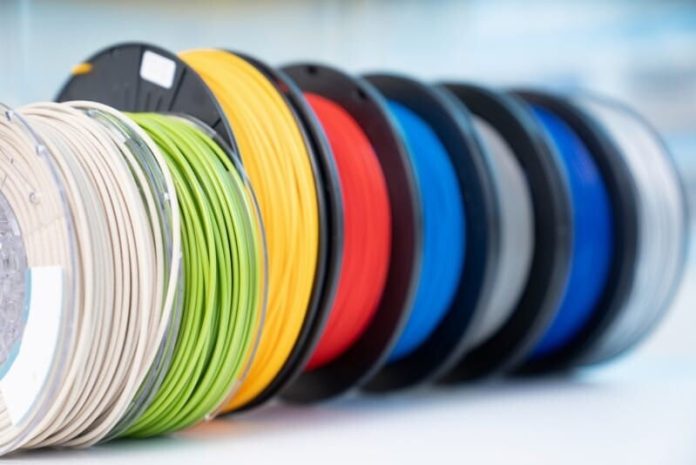


PETG has become one of the most popular materials in 3D printing due to its balance of strength, flexibility, and ease of use. Within this category, PETG-Basic is designed to simplify the printing process while maintaining reliable mechanical performance. It is especially useful for users who want consistent results without complex tuning or advanced printer configurations.
Understanding the correct printing settings is essential for achieving high-quality results. Even though PETG-Basic is more forgiving than many engineering filaments, proper temperature control, bed adhesion, and speed settings still play a key role in overall print success. A commonly used reference in this material category is PETG-basic, which is optimized for stable extrusion and user-friendly performance across a wide range of FDM printers.
Recommended Printing Temperature
Temperature is one of the most important factors when working with PETG-based materials. Too low, and extrusion becomes inconsistent; too high, and issues like stringing may increase.
Ideal temperature range:
- Nozzle temperature: 220°C to 250°C
- Heated bed: 70°C to 90°C
PETG-Basic generally performs well in the mid-range of these settings, offering stable flow without requiring extreme calibration. Starting at a moderate temperature and adjusting gradually is often the best approach.
Bed Adhesion and First Layer Settings
Good bed adhesion is essential for successful PETG prints. PETG-Basic typically adheres well to common build surfaces, but proper first-layer configuration improves reliability.
Tips for better adhesion:
- Use a heated bed for stability
- Apply a light adhesive layer if needed (glue stick or PEI surface)
- Ensure correct nozzle distance for the first layer
- Slow down the first layer print speed
Unlike ABS, PETG tends to bond strongly to certain surfaces, so excessive adhesion can sometimes be an issue. Using a release agent or flexible build plate can help prevent damage during part removal.
Print Speed Recommendations
Print speed affects both surface quality and structural strength. PETG-Basic is designed to handle moderate speeds while maintaining consistency.
Suggested speed range:
- Standard printing speed: 40–60 mm/s
- First layer speed: 20–30 mm/s
- Outer wall speed: slightly reduced for better detail
Slower speeds often improve surface finish and reduce issues like stringing or uneven extrusion.
Retraction Settings and Stringing Control
Stringing is a common challenge with PETG materials, including PETG-Basic. Proper retraction settings help minimize this issue.
Recommended adjustments:
- Moderate retraction distance (varies by extruder type)
- Slightly higher retraction speed for cleaner travel moves
- Avoid excessive temperature increases
- Enable wipe and coasting features if available
Fine-tuning retraction is one of the most effective ways to improve print quality with PETG-based materials.
Cooling Fan Settings
Cooling plays a balanced role in PETG printing. Unlike PLA, PETG does not require maximum cooling, but controlled airflow helps improve detail and reduce deformation.
Cooling recommendations:
- Low to moderate fan speed (0–50%)
- Reduce cooling for first few layers
- Increase slightly for overhangs if needed
PETG-Basic generally performs well with minimal cooling, which helps maintain strong layer adhesion.
Layer Adhesion and Strength Performance
One of the key advantages of PETG-Basic is its strong layer bonding. This makes printed parts more durable and resistant to mechanical stress compared to more brittle materials.
Strength benefits include:
- Improved impact resistance
- Strong inter-layer bonding
- Reduced risk of cracking under stress
- Balanced flexibility for functional parts
This combination makes PETG-Basic suitable for prototypes, mechanical housings, and everyday functional components.
Common Printing Issues and Fixes
Even with user-friendly materials, some issues may still occur. Understanding how to troubleshoot them improves overall success rates.
Stringing
- Lower nozzle temperature slightly
- Increase retraction settings
- Reduce travel speed
Poor surface finish
- Adjust cooling levels
- Slow down outer wall speed
- Check filament dryness
Weak adhesion
- Clean build plate thoroughly
- Increase bed temperature slightly
- Adjust first-layer height and speed
Storage and Material Handling
PETG-Basic, like most PETG-based materials, can absorb moisture over time. This can affect print quality if not properly managed.
Best practices:
- Store in airtight containers
- Use desiccant packs
- Dry filament if exposed to humidity
- Avoid long exposure to open air during printing
Proper storage helps maintain consistent extrusion and prevents defects such as bubbling or weak layers.
Conclusion
PETG-Basic is designed to offer a balance between ease of printing and reliable mechanical performance. With the right temperature settings, retraction tuning, and bed preparation, users can achieve high-quality results across a wide range of applications.
By following best practices for print speed, cooling, and material handling, PETG-Basic can deliver consistent performance for both beginners and experienced users. Its forgiving nature and strong structural properties make it a dependable choice for functional 3D printing projects.